Beaver Themer: Styling the Post Navigation Module
October 11, 2018/
Notes:
The Post Navigation Module was added to Beaver Themer 1.2 which was released at the end of August 2018.
Those who use the Beaver Builder Theme will recognize it as something built in to the theme. It can be hidden or made visible via the customizer by going to: Customizing ▸ Content▸Post Layout ▸Prev/Next Post Links.
What’s nice about the Post Navigation Module is:
- It easily allows us limit post navigation to one category or custom taxonomy. (For example, I remember needing this on a golf club website where we only wanted visitors to navigate to posts on the next or previous hole.)
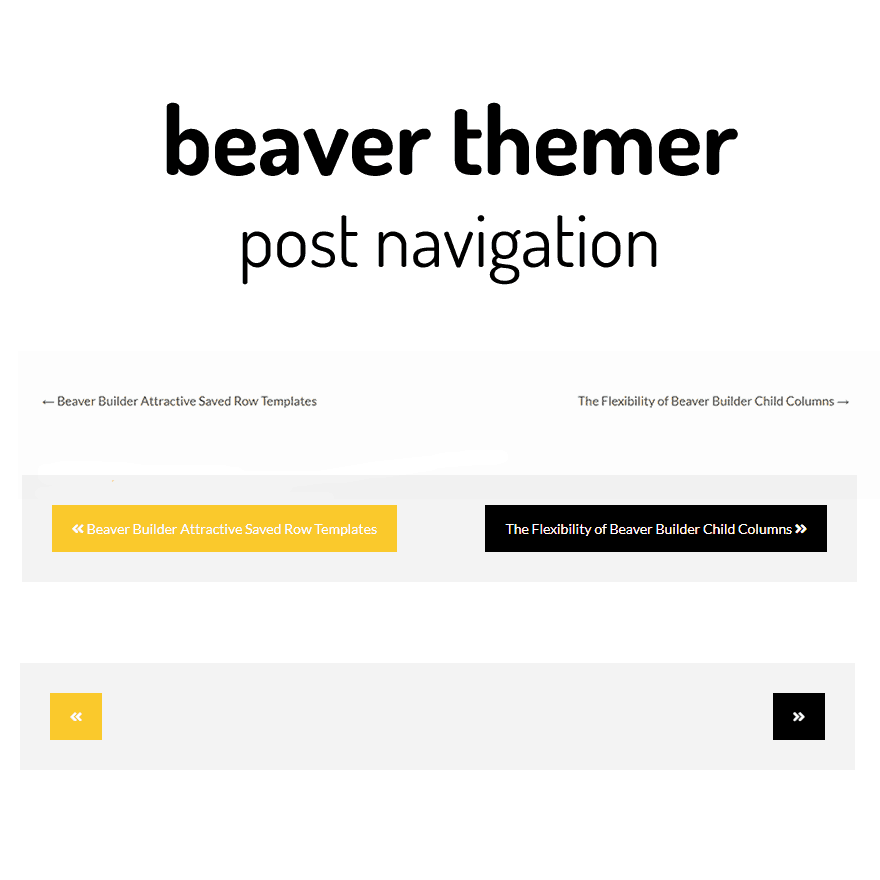
- We have more control over the content output. (For example we could just have arrows showing)
- With a bit of CSS and column settings it is perhap easier to add some extra styling options (For example adding directional icons and and setting link and hover colour from the page builder.
- For developers there is also new filter added
fl_theme_builder_post_nav - Field connectors shortcode appear to work in the next and previous too (no idea if that is useful!)
Here, I am sharing the HTML and CSS I added to this site. I plan to use this as a resource for other projects.
My HTML:
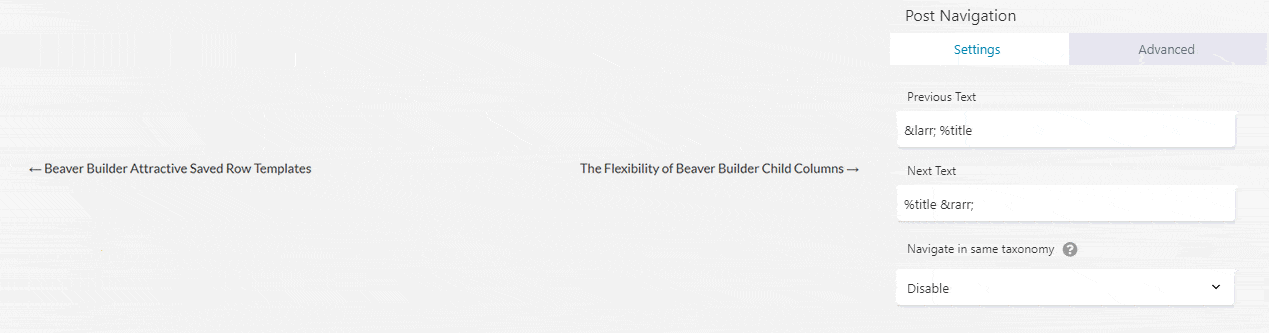
Placed in the next and previous text boxes of the Post Navigation module
<span><i class="fas fa-angle-double-left"></i> %title </span>
<span> %title <i class="fas fa-angle-double-right"></i></span>
and the one use here:
<span> <h4><i class="fas fa-angle-double-left"></i> PREVIOUS </h4> %title</span>
<span><h4>NEXT <i class="fas fa-angle-double-right"></i> </h4>%title </span>
My CSS:
/*-------------------------------------------------------------

I added the CSS class selector of dw-post-nav to the advance tab
of the Post Navigation module.

-----------------------------*/


/* One pixel jump to be the same as other BB buttons */


.dw-post-nav .post-navigation .nav-links A SPAN:active
{
	position: relative;
	top: 1px;
}

/* We need to add a span to the nav links to isolate our anchor text.*/

.dw-post-nav .post-navigation .nav-links A SPAN
{
	padding: 12px 20px;
    display: inline-block;
    font-size: 14px;

}

/* Above is fine for styling "next" and "previous" the same, but is
added ".nav-next" and "".nav-previous". */

.dw-post-nav .post-navigation .nav-links .nav-previous A SPAN
{
background-color: #f9c82c;
color:#ffffff;
text-decoration: none;
}

.dw-post-nav .post-navigation .nav-links .nav-next A SPAN
{
    background-color: #000000;
    color: #FFFFFF;
    text-decoration: none;

}


/* Here is the hover for "next and previous"

*/
.dw-post-nav .post-navigation .nav-links .nav-previous A SPAN:hover
{
background-color: #f4c52e;
}

.dw-post-nav .post-navigation .nav-links .nav-next A SPAN:hover
{
background-color: #222;
}

/* This centers the nav links for mobiles, but I have made the row invisible on this site

*/

@media (max-width: 768px)
{
.dw-post-nav .post-navigation
{
margin: auto;
width: 50%;
}
}
Links:
https://kb.wpbeaverbuilder.com/article/448-themer-singular-layout-post-navigation-module
Posted in Beaver Themer Tips