Tweaking the Beaver Builder Template Library
September 30, 2018/
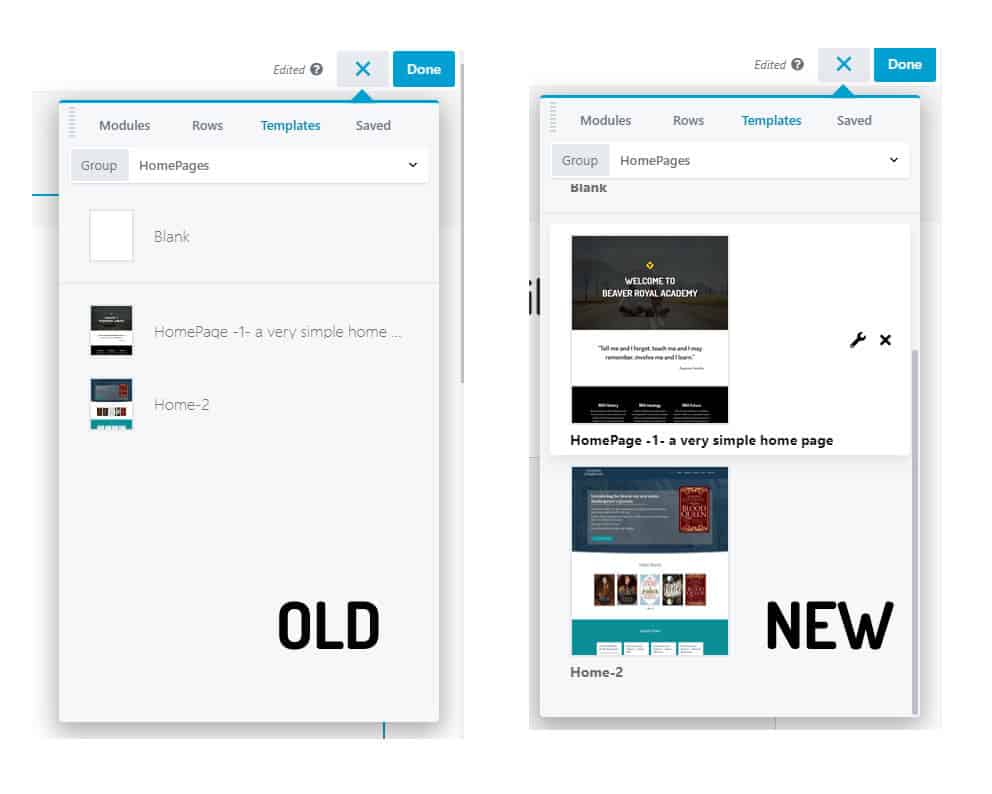
Beaver Builder scales any sized feature image you upload to show at 41 px x 49 px. I sized my mages to 156 px x 187 px and added the following CSS to the global settings panel (shortcut key = Ctrl/Cmd + U).
.fl-user-template-thumbnail .fl-builder--template-thumbnail {
width: 160px;
}

.fl-builder--save-new-user-template, .fl-user-template
{
padding-bottom: 30px;
}

.fl-user-template-name
{
position: absolute;
bottom: 0;
font-size: 14px;
padding-bottom: 8px;
font-weight: bold;
}
I also assigned my “Home Page” templates to their own category.
Posted in Beaver Builder Plugin Tips