
Tutorial & code
Animated Social Icons
A collection animated social icons using the Beaver Builder HTML module.
Minimum BB plugin required: Lite Saved under: Rows
Skill level: Intermediate Contributor: David Waumsley
Template Location
Video
Notes
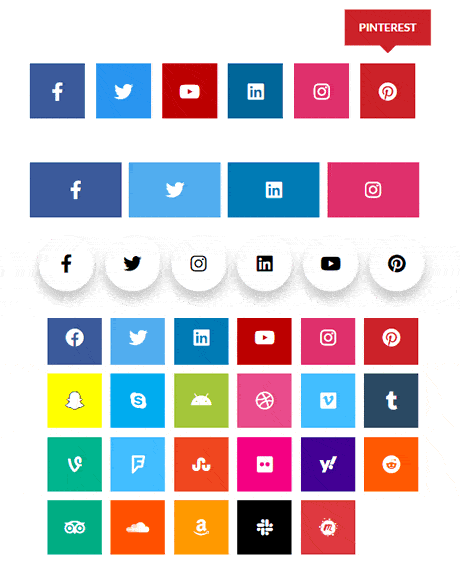
This is a collection of animated socials icons with different CSS styles in individual HTML Modules.
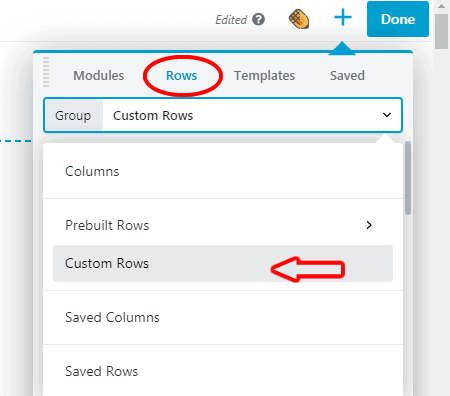
- Drag the social icons row to your page
- Move the selected module to a new row and delete the socials icons row.
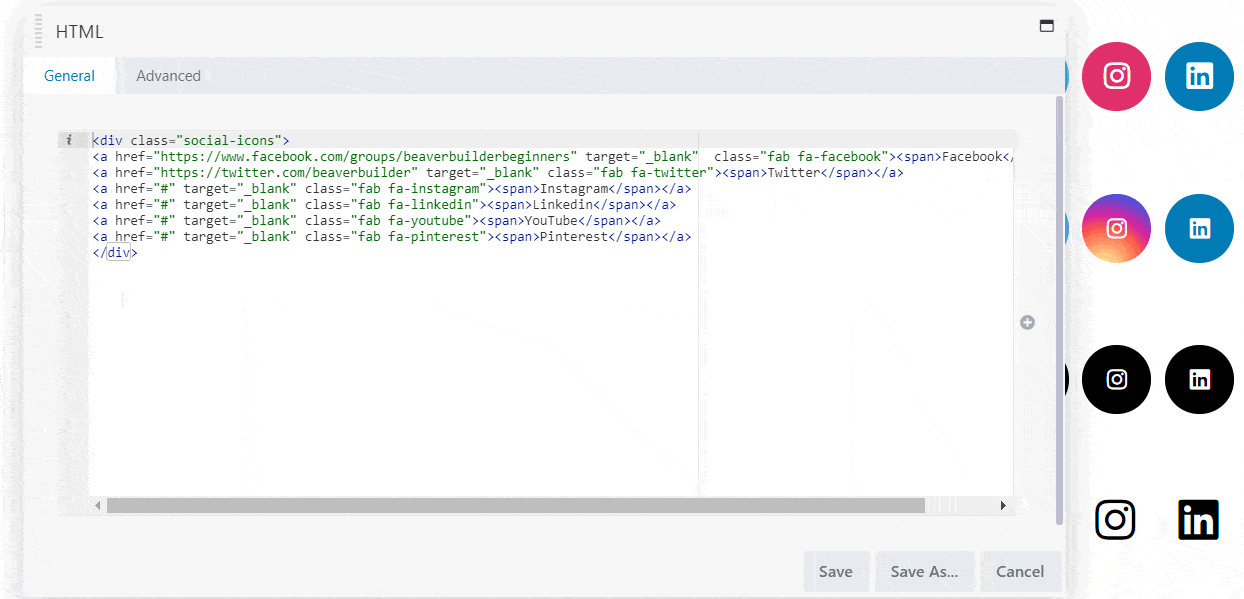
- Go to the General tab of the module and delete the unneeded lines of code.
- Where it says href=”#” replace the # with your URL.
- If the module has individual colors for each social icon you can go to the Advanced tab and delete unneeded code there.
See the Animated Social Icons template in action.
Code
HTML
There are too man variation to cover here. Please inspect the demo page for the code.
<div class="social-icons">
<a href="https://www.facebook.com/groups/beaverbuilderbeginners" target="_blank" class="fab fa-facebook"><span>Facebook</span></a>
<a href="https://twitter.com/beaverbuilder" target="_blank" class="fab fa-twitter"><span>Twitter</span></a>
<a href="#" target="_blank" class="fab fa-linkedin"><span>Linkedin</span></a>
<a href="#" target="_blank" class="fab fa-youtube"><span>YouTube</span></a>
<a href="#" target="_blank" class="fab fa-instagram"><span>Instagram</span></a>
<a href="#" target="_blank" class="fab fa-pinterest"><span>Pinterest</span></a>
<a href="#" target="_blank" class="fab fa-snapchat-ghost"><span>Snapchat</span></a>
<a href="#" target="_blank" class="fab fa-skype"><span>Skype</span></a>
<a href="#" target="_blank" class="fab fa-android"><span>Android</span></a>
<a href="#" target="_blank" class="fab fa-dribbble"><span>Dribbble</span></a>
<a href="#" target="_blank" class="fab fa-vimeo"><span>Vimeo</span></a>
<a href="#" target="_blank" class="fab fa-tumblr"><span>Tumblr</span></a>
<a href="#" target="_blank" class="fab fa-vine"><span>Vine</span></a>
<a href="#" target="_blank" class="fab fa-foursquare"><span>Foursquare</span></a>
<a href="#" target="_blank" class="fab fa-stumbleupon"><span>Stumbleupon</span></a>
<a href="#" target="_blank" class="fab fa-flickr"><span>Flickr</span></a>
<a href="#" target="_blank" class="fab fa-yahoo"><span>Yahoo</span></a>
<a href="#" target="_blank" class="fab fa-reddit"><span>Reddit</span></a>
<a href="#" target="_blank" class="fab fa-tripadvisor"><span>Trip Advisor</span></a>
<a href="#" target="_blank" class="fab fa-soundcloud"><span>Soundcloud</span></a>
<a href="#" target="_blank" class="fab fa-amazon"><span>Amazon</span></a>
<a href="#" target="_blank" class="fab fa-slack"><span>Slack</span></a>
<a href="#" target="_blank" class="fab fa-meetup"><span>MeetUp</span></a>
</div>
CSS
There are too man variation to cover here. Please inspect the demo page for the code.
a span
{ display:none}

.social-icons{
display:flex;
flex-direction: row;
flex-wrap: wrap;
}

.fab {
display: flex;
justify-content: center;
align-items: center;
padding: 20px;
font-size: 20px;
width: 60px;
height: 60px;
text-decoration: none;
margin: 5px 5px;

}

.fab:hover {
opacity: 0.7;
}

.fa-facebook {
background: #3B5998;
color: white;
}

.fa-twitter {
background: #55ACEE;
color: white;
}


.fa-linkedin {
background: #007bb5;
color: white;
}

.fa-youtube {
background: #bb0000;
color: white;
}

.fa-instagram {
background: #e1306c;
color: white;
}

.fa-pinterest {
background: #cb2027;
color: white;
}

.fa-snapchat-ghost {
background: #fffc00;
color: white;
text-shadow: -1px 0 black, 0 1px black, 1px 0 black, 0 -1px black;
}

.fa-skype {
background: #00aff0;
color: white;
}

.fa-android {
background: #a4c639;
color: white;
}

.fa-dribbble {
background: #ea4c89;
color: white;
}

.fa-vimeo {
background: #45bbff;
color: white;
}

.fa-tumblr {
background: #2c4762;
color: white;
}

.fa-vine {
background: #00b489;
color: white;
}

.fa-foursquare {
background: #45bbff;
color: white;
}

.fa-stumbleupon {
background: #eb4924;
color: white;
}

.fa-flickr {
background: #f40083;
color: white;
}

.fa-yahoo {
background: #430297;
color: white;
}

.fa-soundcloud {
background: #ff5500;
color: white;
}

.fa-reddit {
background: #ff5700;
color: white;
}

.fa-rss {
background: #ff6600;
color: white;
}

.fa-tripadvisor {
background: #00AF87;
color: white;
}

.fa-soundcloud
{
background: #FE5000;
color: white;
}
.fa-amazon
{
background: #FF9900;
color: white;
}

.fa-slack
{
background: #000;
color: white;
}

.fa-meetup
{
background: #e0393e;
color: white;
}