
Tutorial & code
Blockquotes
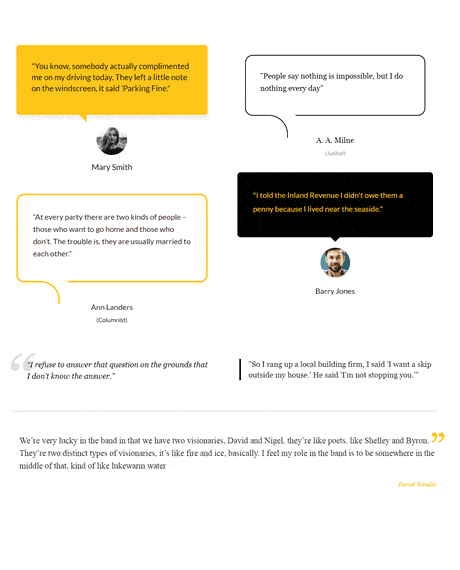
A collection of CSS styled blockquotes using the Beaver Builder text module.
Minimum BB plugin required: Lite Saved under: Rows
Skill level: Intermediate Contributor: David Waumsley
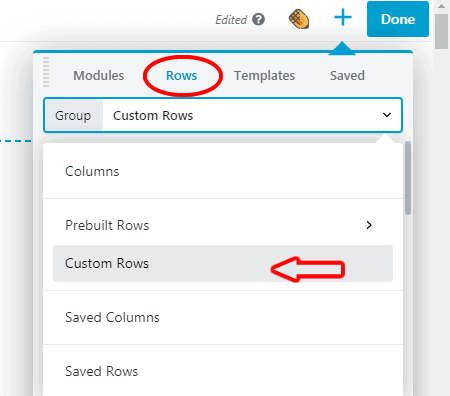
Template Location
Video

Notes
A collection of blockquotes using the Beaver Builder Text module and custom CSS.
See the Blockquotes template in action.
Code
CSS
/*Top left blockquote -solid yellow */
blockquote {
position: relative;
background: #FFC719; /*Change the default yellow here */
border-radius: .4em;
padding:8%;
}

/*This is the pointer */
blockquote :after {
content: '';
position: absolute;
bottom: 0;
left: 33%;
width: 0;
height: 0;
border: 19px solid transparent;
border-top-color: #FFC719; /*Change the default yellow here */
border-bottom: 0;
border-right: 0;
margin-left: 0;
margin-bottom: -19px;
}

/*This is the dropshadow */
blockquote{
-webkit-box-shadow:2px 10px 12px 0px #eeeeee ;
-moz-box-shadow:2px 10px 12px 0px #eeeeee ;
box-shadow:2px 10px 12px 0px #eeeeee ;

}

IMG{
border-radius: 100%;
width: 80px;
margin-top: 5%;
}

/* Top right blockquote - black outline */

blockquote {
position: relative;
color: #000;
font-size: 2.8rem;
font-weight: normal;
line-height: 1;
margin: 0;
border: 2px solid #fff;
border: solid 2px;
border-radius:20px;
padding: 8%;
}

blockquote:after {
content:"";
position: absolute;
border: 2px solid #000;
border-radius: 0 50px 0 0;
width: 60px;
height: 60px;
bottom: -60px;
left: 50px;
border-bottom: none;
border-left: none;
z-index: 3;
}

blockquote:before {
content:"";
position: absolute;
width: 80px;
border: 6px solid #fff;
bottom: -3px;
left: 50px;
z-index: 2;
}