Bottom Aligned Buttons on columns
January 15, 2020/
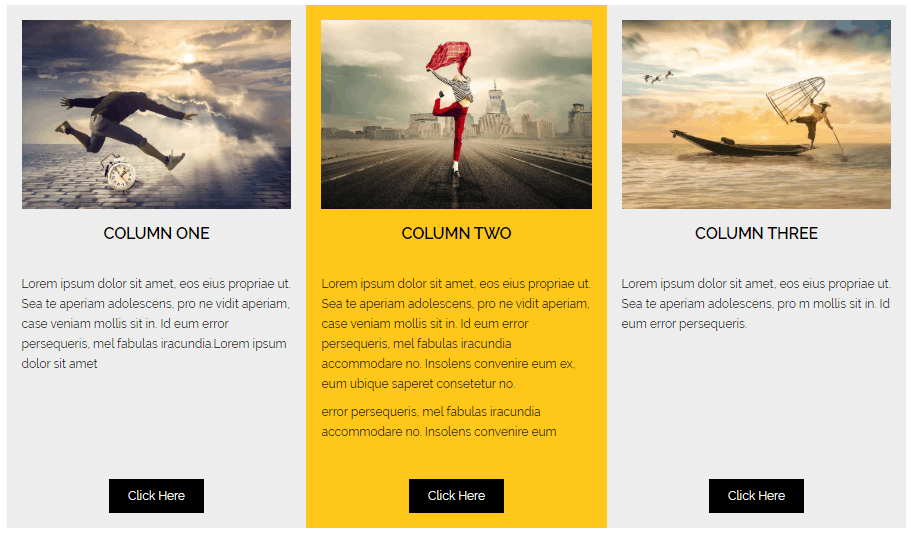
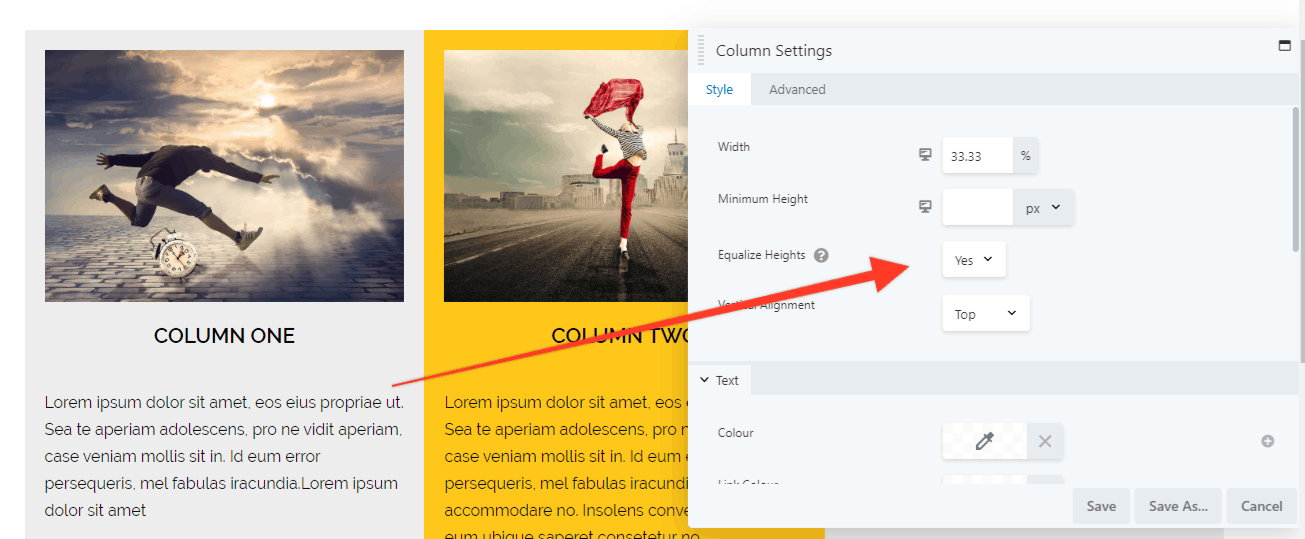
First make sure the columns are equal
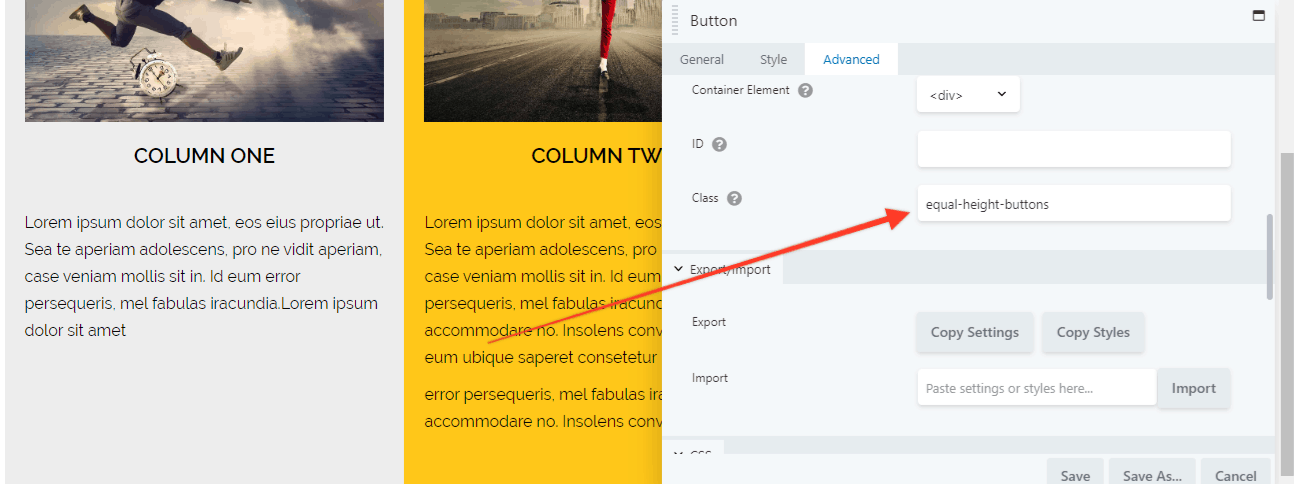
Then give your buttons a CSS class or ID selector name:
Finally add this CSS to your usual place using the selector name you chose:
Updated: Use this more logical solution offered by Zack Pyle.
.equal-height-buttons{
display: flex;
justify-content: center;
align-items: flex-end;
flex: 1 1 0;
}
.equal-height-buttons { align-content: flex-end; flex: 1 1 0; display: grid; }
Notes:
- I have no idea why this works (explanations welcomed).
- but it works on the latest versions Chrome, Firefox and MS Edge. but not on Internet Explorer.
- The extra space disappears when the columns stack on mobiles (which is good).
- Flex 1 1 0 = grow 1, shrink 1 and basis 0 (this seemed to work best to not throw Internet Explorer out, but flex:1; alone would work on modern browsers).
Posted in Beaver Builder Plugin Tips